0%

A modern desk can power a laptop, phone, tablet, lamp, and monitor at the same time. That often means bulky adapters competing for limited wall outlets. A USB C Power Strip can make charging simpler, but the right choice depends on the devices you use and where you place it. A kitchen counter, shared office desk, and bedside table each have different space and cable needs.

Small details matter. Port spacing can determine whether large plugs block neighboring outlets. USB-C output ratings show how much power a port can deliver, while the strip’s total output may be shared across connected devices. A high port count looks useful, yet it does not guarantee faster charging. Check the manufacturer’s specifications, supported charging standards, cord length, outlet layout, and any stated surge protection. These details are easy to skim past. I would, too, if I were in a hurry.

This guide compares USB-C power strips for home and office use through practical features, not just product labels. It considers charging capacity, outlet spacing, build details, and how clearly specifications are presented. A strip suited to a laptop and phone may be excessive for a small bedside setup. Conversely, a compact model can feel limiting when several adapters are plugged in. No single option fits every desk, and manufacturer claims should be checked against the exact model. A little comparison before buying can prevent a cluttered setup—or an inconvenient shortage of usable ports.
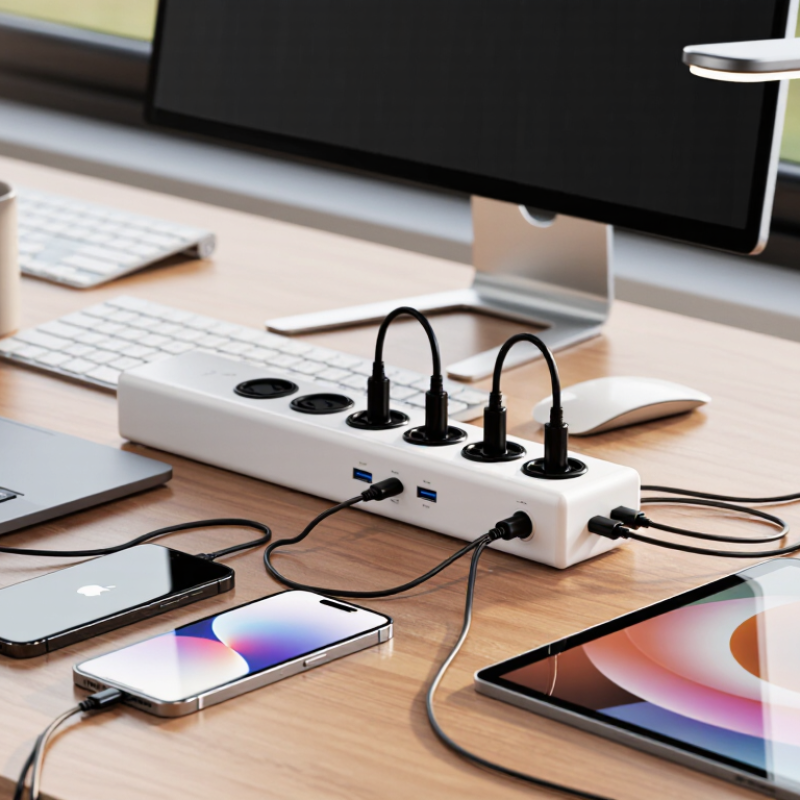
Top USB C Power Strips for Home and Office

USB-C Power Strips Defined: AC Outlets, USB-C Ports, and Charging

A USB-C power strip combines standard AC outlets with USB-C charging ports in one desk-side unit. The outlets supply power to items such as a monitor or desk lamp; USB-C ports charge compatible phones, tablets, and laptops directly. The number of ports matters, but so does their output. USB-IF’s 2021 USB Power Delivery 3.1 specification supports power levels up to 240 watts. That is a protocol ceiling, not a promise that every strip or port can deliver it. Check the listed wattage and whether power is shared across ports.

A strip with two USB-C ports may divide its available charging power when both are in use. A laptop that charges quickly alone might slow down when a phone joins the queue. Meanwhile, plugging several high-demand devices into AC outlets can approach the strip’s total rated load. A crowded desk can make these limits easy to miss. That distinction deserves a second look.

Tips: Match the USB-C output to your device’s charging needs, and check the combined output for simultaneous charging. Look for clear wattage labels on the product or manual. Keep a little space around bulky plugs, and avoid covering ventilation openings. A neat setup is useful, but neatness alone does not confirm adequate power.

USB Power Delivery 3.1 EPR Supports Charging up to 240 W

A USB-C power strip becomes more useful when its ports match the devices on your desk. USB-IF’s USB Power Delivery Specification Revision 3.1 defines Extended Power Range (EPR) charging up to 240 watts, using up to 48 volts and 5 amps. That ceiling can support demanding compatible laptops and other equipment. It is not a promise that every USB-C port delivers 240 watts. The device, port, and cable must all support the required EPR profile.

For home offices, check the strip’s per-port output and its shared power budget. Several devices charging together may receive less power than a single-device rating suggests. A 240-watt label sounds impressive, but many everyday phones and tablets need much less. That distinction is easy to overlook.

Tips: Match the strip’s output to your device, and use an EPR-rated cable for EPR charging. Check the manufacturer’s power-sharing details before plugging in several devices. Small print matters. USB-IF’s published PD 3.1 specification is the key technical reference; real charging speed still depends on each device’s supported input.

AC Load Capacity: A 15 A, 125 V Strip Supports up to 1,875 W

A 15 A, 125 V power strip has a theoretical maximum capacity of 1,875 W, calculated by multiplying volts by amps. That number describes the combined load, not the allowance for every outlet. A desktop computer, monitor, desk lamp, and phone charger all draw power from the same strip. Check each device’s wattage label, then add the loads before plugging everything in. Small print matters.

The 1,875 W figure is a ceiling, not a comfortable target for every setup. Devices that heat, such as space heaters or kettles, can use a large share of the capacity by themselves. For equipment that runs for long periods, follow the strip’s instructions and applicable electrical guidance rather than relying only on the maximum rating. USB-C charging ports also have their own output limits; check their specifications when charging a laptop.

Keep the strip uncovered, place it where air can circulate, and stop using it if the plug or housing feels unusually warm. I still find load labels easy to overlook when a desk gets crowded. A quick wattage check can prevent that guesswork.

Safety Standards: UL 1363 Covers Relocatable Power Taps

For a USB-C power strip, UL 1363 is an important safety reference. It covers relocatable power taps: cord-connected units with multiple outlets that can be moved around a home or office. A USB-C port does not, by itself, show that the entire product meets this standard. Check the product’s certification label and documentation, including what the certification applies to. USB charging components may be assessed under additional requirements.

That detail matters. At a desk, a laptop, monitor, and phone charger can quickly crowd a strip. Check its rated voltage and current, then keep the combined load within the stated limit. Do not connect one power strip to another, and avoid covering the strip with papers or rugs. Keep it dry. Read the label. Inspect the cord for cuts, loose plugs, or unusual warmth, and stop using a damaged unit. A neat bundle of cables can hide strain at the plug; I sometimes overlook that when organizing a workspace. UL 1363 is useful evidence, but it cannot make overloaded or damaged equipment safe.

Top USB-C Power Strips for Home and Office - Safety Standards: UL 1363 Covers Relocatable Power Taps
Configuration Typical USB-C Setup Suitable Use What to Check Safety and Standards
Compact desk strip One or two USB-C ports; charging output varies by model and may be shared across ports. Phone, earbuds, and other small-device charging at a personal desk. Confirm the stated USB-C output and whether connecting multiple devices reduces available power. For a relocatable power tap, check the product label and documentation for the applicable safety certification and model details.
Multi-device office strip Several AC outlets and multiple USB charging ports, with total USB output specified by the manufacturer. Workstations with computers, monitors, and personal devices. Check the strip’s maximum AC rating and keep the combined connected load within that rating. USB charging capacity is a separate specification. UL 1363 is the safety standard for relocatable power taps. Verify that the exact product model is certified or listed, rather than relying only on a general claim.
Higher-output USB-C strip USB-C Power Delivery may be offered; available output varies by model and can be shared between ports. Charging compatible tablets and laptops, subject to the device’s required input and the strip’s USB-C specifications. Compare the port’s maximum output with the device’s charging requirements; check whether the listed output applies to one port or several ports together. UL 1363 addresses the relocatable power tap. USB charging circuitry may be evaluated under additional requirements; check the product’s certification information for the specific model.
Surge-protected strip with USB-C AC outlets with surge-protection features plus USB charging ports; protection ratings and USB output differ by model. Home or office setups where the user wants both device charging and documented surge protection. Review the manufacturer’s surge-protection rating and replacement or indicator instructions. Surge protection and USB-C charging performance are separate features. Do not assume that a surge-protection claim alone establishes UL 1363 certification. Check the product label and documentation for applicable standards and certifications.
Long-reach floor or conference-room strip Multiple AC outlets and USB ports, with cord length and port layout varying by product. Meeting rooms or shared spaces where outlets need to reach a table or work area. Choose a cord length and outlet layout suited to the space. Use the product only in locations and conditions allowed by its labeling. Keep the strip’s plug accessible, avoid exceeding its electrical rating, and do not connect power strips in series unless the manufacturer expressly permits it.
Safety-standard note USB-C describes a connector and charging interface; it does not by itself specify a power strip’s safety certification or charging capability. UL 1363 covers relocatable power taps. Check the exact model’s label and documentation, follow its instructions, and stop using a strip with damaged cords, plugs, or outlets.

Choosing for Home or Office: Match Port Output and Total Load

For home or office use, match each USB-C port to the device, not just the number of ports. Check a laptop’s charger label: a 65-watt requirement needs a port that can deliver at least 65 watts. Also check whether that output is shared when other ports are occupied. The USB Implementers Forum’s USB Power Delivery 3.1 specification supports up to 240 watts, but that is a protocol ceiling, not a promise about any power strip. Small detail. It matters.

Then check the strip’s total AC load. Add the wattage printed on devices you expect to run together, such as a monitor, desk lamp, and printer, and compare the sum with the strip’s rated limit. Leave headroom; labels and real use do not always line up neatly. Avoid assuming that a high USB-C output raises the AC limit. They are separate ratings. If the strip lists a shared USB output, treat that figure as the combined budget for its charging ports.

In a home office, a laptop may need steady charging while a phone tops up nearby. At a shared desk, several users can fill ports quickly. Review the output table before buying, and consider your actual device mix. I’ve found the confusing part is often the fine print: one port’s maximum may drop when another device connects. Check the manual, too.

Choosing for Home or Office: Match the USB-C output of an individual port to your device, and check the combined USB budget when charging several devices at once. USB charging capacity is separate from the strip’s AC load limit; check its rating label before connecting appliances.

FAQS

What does a 15 A, 125 V rating mean?

It gives a theoretical combined ceiling of 1,875 watts. That is not a target for every setup.

How should I check the load on a power strip?

Read each device’s wattage label and add the numbers. A computer, monitor, lamp, and charger share the same capacity.

Can a heater use too much of the available capacity?

Yes. Heating devices can draw a large share of the limit. Check the strip’s instructions before using one.

Do USB-C ports have their own limits?

Yes. Check the port specifications, especially when charging a laptop. The outlet rating does not describe every port’s output.

What should I check on the certification label?

Confirm which parts of the product the certification covers. A USB-C port alone does not prove the whole strip meets a safety standard.

How should I position a power strip?

Keep it uncovered, dry, and somewhere air can circulate. Papers and rugs can hide it.

What signs mean I should stop using a strip?

Stop if its cord is cut, its plug is loose, or its housing feels unusually warm. Do not ignore damage.

Is it safe to connect one power strip to another?

No. Avoid connecting strips together, and keep the combined load within the stated rating. I still sometimes miss a strained plug in a tidy cable bundle.

Conclusion

A USB C Power Strip combines standard AC outlets with USB-C charging ports, allowing you to power household or office equipment and charge compatible devices from one convenient location. Some models support USB Power Delivery 3.1 Extended Power Range, a specification that can enable charging up to 240 W when the charger, cable, and device are all compatible. Actual output varies by product, so check the power available from each port and whether it is shared when multiple devices are connected.

For AC devices, a strip rated at 15 A and 125 V supports a maximum combined load of 1,875 W. Add up the wattage of connected equipment and stay within the strip’s rating. UL 1363 covers relocatable power taps, a relevant safety standard to look for when comparing products. For home or office use, choose a model whose port output suits your devices and whose total AC capacity can safely accommodate your planned load.

Clara

Clara

Clara is a professional marketing specialist with a strong understanding of the company’s products, their practical applications, and the needs of the customers they serve. She regularly contributes expert articles to the company website, sharing clear, useful insights that help readers understand......