Choosing the right Power Strip starts with the devices you actually use, not the number of outlets on the box. A desk with a laptop, monitor, and desk lamp has different needs from a media cabinet filled with chargers and a television. Check the wattage of connected equipment, the cord length, and whether the strip includes a clearly labeled overload-protection feature. More outlets do not mean more safe capacity. That detail is easy to miss.
Power-product engineer Jordan Lee puts it this way: “Match the strip to the load, the location, and the way you use it.” This guide explores those practical choices, including outlet layout, surge protection, cable length, and useful safety markings. A bulky plug can block its neighbor. A cord can fall short by several inches. Small frustrations matter. So does using a Power Strip only as its manufacturer directs, rather than chaining strips together or hiding one under a rug. Even a careful buyer can overlook a detail on the label; taking a moment to check is worthwhile. The best option is not always the most expensive or feature-packed. It is the one that fits your setup, has clear specifications, and leaves you confident about what is connected.
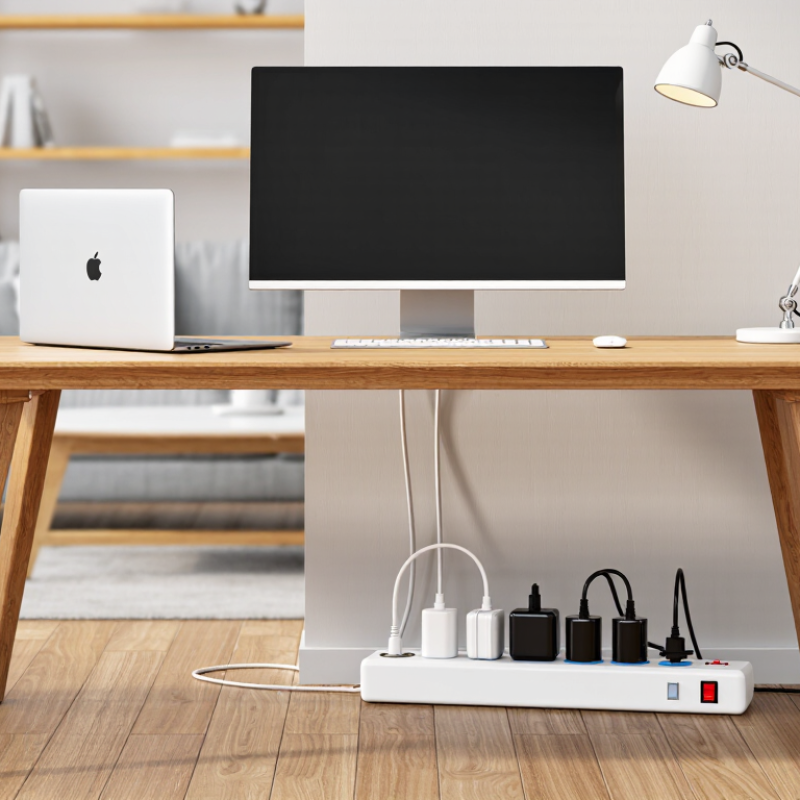
Before choosing a power strip, write down every device you expect to connect. Check each device’s label or manual for its voltage, amperage, and wattage. If only amps and volts are listed, multiply them to estimate wattage. Some equipment briefly draws more power when switched on, so its running wattage may not tell the whole story. Small labels are easy to miss. A quick phone photo can help you compare ratings later, though it is not a substitute for the manual.
Add the devices’ wattages and compare the total with the strip’s rated capacity, usually printed on its body or packaging. Leave some headroom rather than planning to run at the limit. A power strip does not increase the capacity of the wall circuit. Heaters, kettles, and other high-wattage appliances may need a direct wall outlet; follow each device’s instructions. Also check USB output ratings, since several ports may share one limit. Plugs can fit while the electrical load is still too high. I’ve found that counting chargers by eye is unreliable, especially behind a desk, so check the labels before plugging everything in.
Before choosing a power strip, check the voltage and frequency printed on your equipment and the strip. They must be compatible with the supply where you plan to use it. A strip does not convert voltage. If you are traveling, a plug adapter may change the shape of the connection, but it usually does not change the voltage. Read the device label, not just the charger’s appearance. Small details matter.
Tips: Match the plug type to your wall outlet, and choose a strip with the correct outlet style for your devices. Check that plugs fit snugly, without wobbling. If a device has a grounded three-prong plug, use a properly grounded outlet and strip. Never force a plug into an opening.
Also check the strip’s rated voltage, current, and total load against the devices you intend to connect. Add up their power requirements when available; heaters and other high-power appliances can draw more than small electronics. I have seen people focus on outlet count and miss the rating printed on the back. It is easy to overlook. Avoid connecting one strip to another, and do not use a strip with a cracked case, loose socket, or damaged cord. When labels are unclear, pause and verify the specifications before plugging in expensive or sensitive equipment.
A power strip’s safety listing and its surge rating answer different questions. A mark from a recognized testing laboratory indicates that the unit was evaluated against relevant electrical-safety standards. Check the label for its voltage, maximum amperage, and wattage, then compare those limits with the devices you plan to connect. A desk setup with a monitor and lamp differs from a cluster of high-draw appliances. Keep high-heat equipment off ordinary power strips unless the product instructions specifically allow it. Small label, important details.
Surge protection is usually rated in joules, which describe how much surge energy the device can absorb. A higher number can indicate greater capacity, but it does not guarantee better protection by itself. Compare clamping voltage and test standards when the information is available; those details help explain how the unit responds to excess voltage. I used to focus on the joule number alone. That was too simple. An indicator light can also show whether protection remains active, though it cannot prevent every kind of electrical damage.
Look for a grounded plug and use the strip with a properly grounded wall outlet. Never connect strips to one another, and avoid placing one beneath rugs or where cords can be crushed. Read the manufacturer’s instructions, especially after a major surge or if the protection indicator changes. Sometimes the safer choice is less convenient.
Count the devices you will use together, then allow one spare outlet. A desk may need sockets for a laptop, monitor, lamp, and charger. Bulky adapters can block nearby sockets. More outlets help. But they do not increase the strip’s power capacity. Check its wattage and amperage ratings, and keep the combined load below those limits. It is easy to misjudge how many plugs fit comfortably, especially when adapters crowd the strip.
Measure the route from the wall to your devices. Choose a cord long enough to reach without stretching, but avoid excess cable coiled across a walkway. Measure twice. For electronics, look for a grounded strip with overload protection; consider surge protection with a clearly stated rating for sensitive equipment. NFPA’s report on 2015–2019 U.S. home fires estimated that electrical distribution or lighting equipment was involved in 34,000 home structure fires annually, causing 470 deaths and $1.4 billion in direct property damage. These figures cover many kinds of equipment, not power strips alone, but they underline why ratings and safety features matter. A power strip is not a substitute for adequate wall outlets, and connecting strips together is not a good workaround.
A power strip’s shape tells you little about its safety. Check the product label for a certification mark from a recognized testing organization, then confirm the exact model in that organization’s public listing. The mark should match the strip, not just its packaging. Also check its voltage, current, and wattage limits. Add the ratings of connected devices; a heater and computer can exceed a strip’s capacity faster than expected. Small print matters.
Placement is part of safe use. Set the strip on a dry, open surface where air can circulate, away from sinks, curtains, and radiators. Keep it visible and easy to unplug. Don’t run its cord under a rug, through a doorway, or behind heavy furniture, where it can be pinched or heat can build up. One detail people overlook: a strip can feel cool and still be overloaded. Use the rating, not touch, to judge.
Plug the strip directly into a wall outlet, not into another strip or extension cord. Avoid connecting high-power appliances unless the instructions explicitly allow it. Check periodically for cracked casing, loose sockets, discoloration, or a burnt smell; stop using it if you notice any. I used to assume a longer strip was simply more convenient. That was too casual. Reach matters, but a cord stretched across a walking path creates a different problem. Keep the setup simple, and leave unused outlets uncovered only if the manufacturer’s guidance permits it.
Read each device’s label or manual. Multiply amps by volts if wattage is missing. Add the wattages and leave some headroom.
No. It does not create extra capacity. Heaters and kettles may need a direct wall outlet, as their instructions specify.
Yes. Check the strip’s USB ratings. Multiple ports may share a limit, even when each port looks separate.
Compare the voltage and frequency on your devices and the strip with the local supply. A strip does not convert voltage.
Usually not. It may change the plug shape, but check the device label before connecting it.
Use a properly grounded outlet and strip. The plug should fit securely. Never force it.
No. Avoid connecting strips together. Also stop using one with a cracked case, loose socket, or damaged cord.
Pause and verify its specifications in the manual. A phone photo can help with comparison, but it cannot replace the manual. Small details matter. I still find charger counts easy to misjudge behind a desk.
Choosing the right Power Strip begins with understanding the devices you plan to connect. Check each device’s power needs and make sure their combined demand stays within the strip’s rated capacity. Confirm that its voltage, plug type, and outlet configuration are compatible with your devices and the electrical supply where it will be used. If you need protection from voltage spikes, compare safety ratings and surge protection specifications rather than assuming every power strip offers the same level of protection.
Next, choose an outlet count and cord length that suit your space without creating clutter or strain. Useful features may include spaced outlets, switches, or built-in overload protection, depending on your needs. Before use, verify that the product carries appropriate safety certification. Place it in a dry, well-ventilated location, keep it accessible, and avoid covering it or connecting it in a way that exceeds its capacity. These steps help you select a practical option and use it more safely.